Color Identifier
press kit.
Color Identifier helps people name colors, capture them with a camera or photo, and use them in palettes and color comparisons.
Download press kitZIP · 6 screen images, 3 app icons, website mark & fact sheet
Fact sheet
- App
- Color Identifier: Color Picker on the App Store.
Color Identifier Color Finder on Google Play. - What it is
- Color Identifier helps people name colors, capture them with a camera or photo, and use them in palettes and color comparisons.
- Price
- Free download with in-app subscriptions. Standard: US$5.99/month or US$29.99/year. With RAL: US$14.99/month or US$49.99/year. Full pricing ↓
- Platforms
- iPhone and iPad · iOS 14.0 or later.
Android · Android 8.0 or later. - First released
- iOS: August 31, 2022.
Android: November 15, 2024. - Developer
- Aleksei Metelkin · Wrocław, Poland.
Google Play publisher: AppCraftingMinds.
Subscription pricing
US prices in USD · iOS and Android
| Plan | Monthly | Yearly |
|---|---|---|
| Without RAL | $5.99 | $29.99 |
| With RAL | $14.99 | $49.99 |
Prices confirmed November 2, 2026. Local prices may vary. Subscriptions renew automatically unless cancelled; access depends on the selected plan. RAL code lookup is included in the RAL plans. The browser color tools are free.
About the app
One sentence
Color Identifier helps people name colors, capture them with a camera or photo, and use them in palettes and color comparisons.
One paragraph
Color Identifier is a color identification app for iOS and Android, built for everyday color questions as well as design, art and decorating projects. It combines live camera and photo picking with color names, HEX, RGB and CMYK values, palettes, Colorblind Mode and saved-reference comparison. It is free to download; standard subscriptions cost US$5.99/month or US$29.99/year, and subscriptions with RAL cost US$14.99/month or US$49.99/year.
The full story
Color Identifier began with a practical request: help a friend with color blindness make sense of everyday colors. A useful answer needed to be a readable name, rather than another shade to distinguish or a list of numbers to decode.
That idea is reflected in Colorblind Mode, which presents color names without code clutter. Users can place multiple AR labels at selected points in a scene and read the names while those positions remain tracked. The app provides color information; it does not correct color vision.
For users who also need to work with a color, camera and photo tools show names and color codes, the converter makes codes available to copy into other apps, and palette tools organize related shades. Compare Colors lets someone save a reference in one place and compare a later sample somewhere else.
Phone cameras and changing light affect the result. Color comparisons are estimates, and a RAL reference does not establish the original paint formula or guarantee a physical match.
Key features
- Live camera identification displays color names and HEX, RGB and CMYK values, with optional flash on supported devices.
- Photo picking lets users select a point in an image and save its color for later reference.
- The color converter lets users select a color, convert its code and copy the result into another app.
- Palette tools help users build and save color combinations for design, art, interiors and clothing.
- Colorblind Mode uses readable names without code clutter and lets users place multiple AR color labels at tracked scene positions.
- Compare Colors saves a reference for comparison with a sample captured later, showing their similarity alongside capture limitations.
Colorblind AR and Compare Colors are available on iOS and Android, as confirmed by the developer. AR label positions depend on scene tracking. Color measurements depend on the camera, surface and lighting.
Images
Open any image at full size or download its PNG.
Unframed interface artwork supplied from the app’s Figma file, at its original available resolution. These are design assets, not newly captured device screenshots. No advertising captions or phone mockups are added.
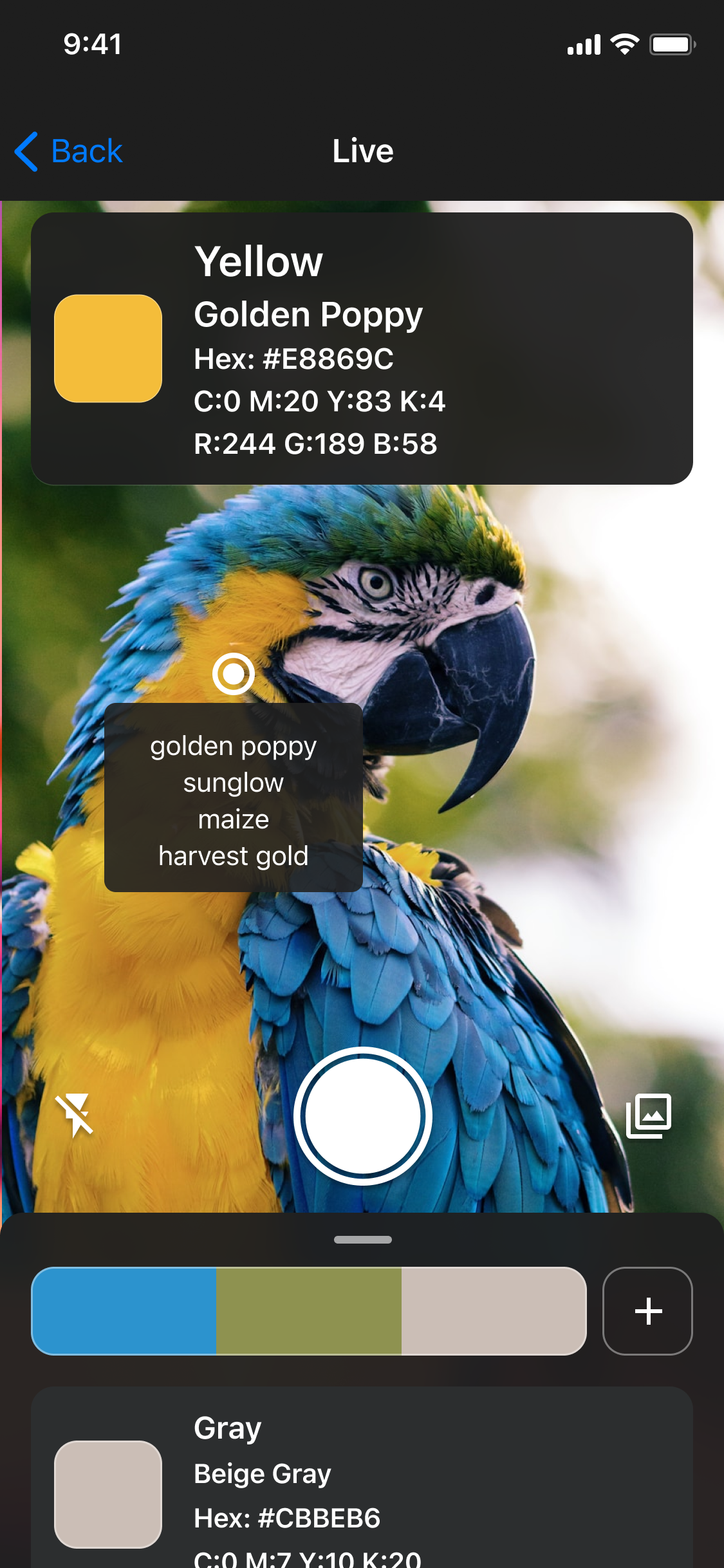
Live camera identification
PNG · 1125 × 2436Download PNG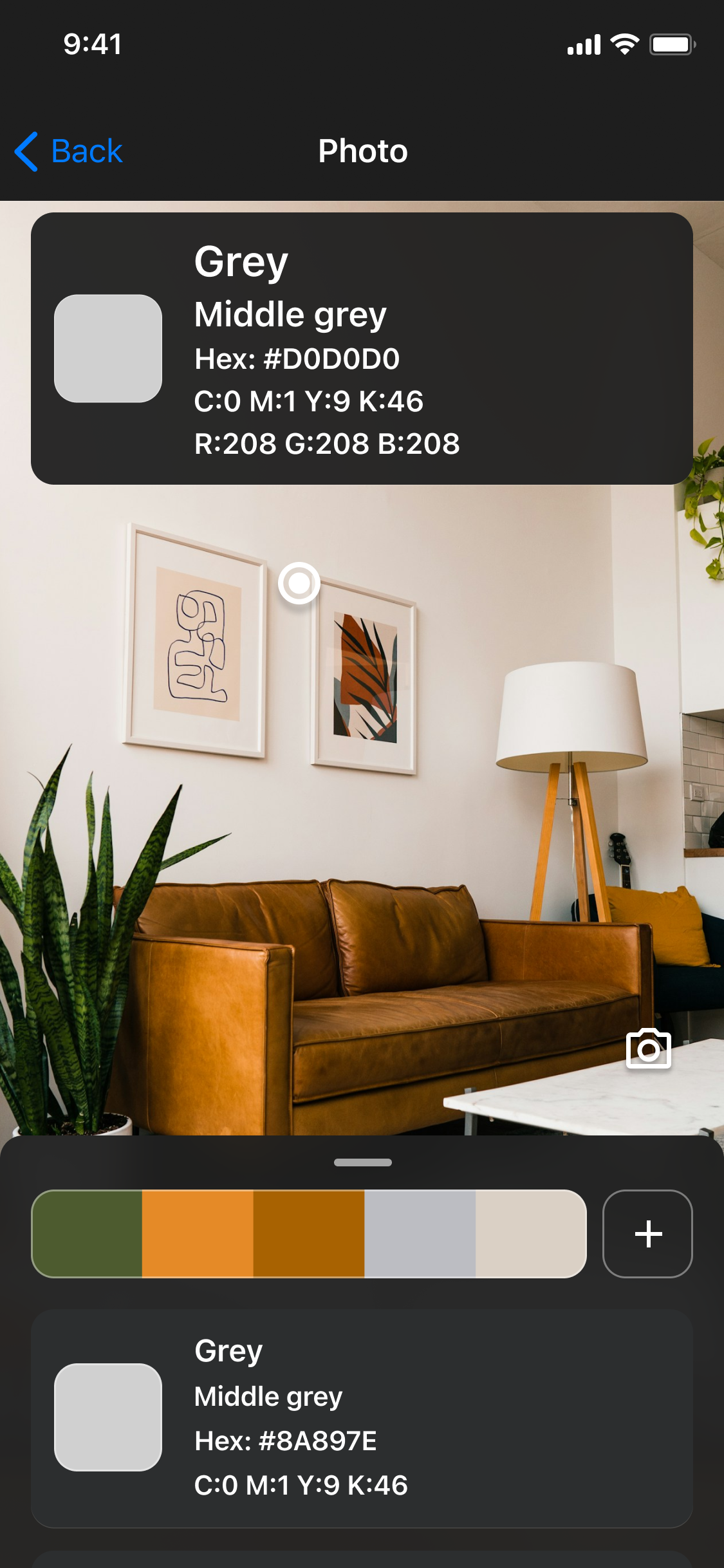
Pick a color from a photo
PNG · 1125 × 2436Download PNG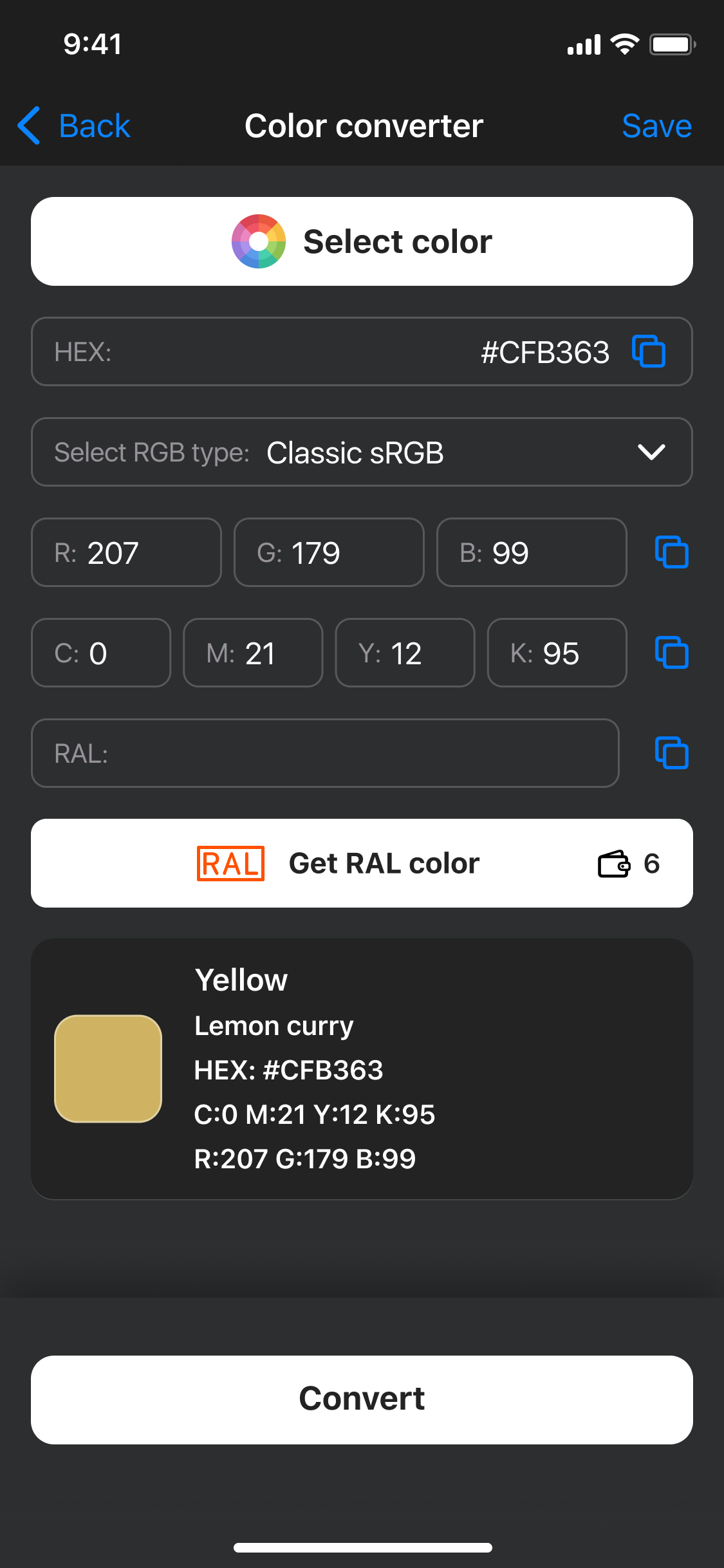
Color code converter
PNG · 1125 × 2436Download PNG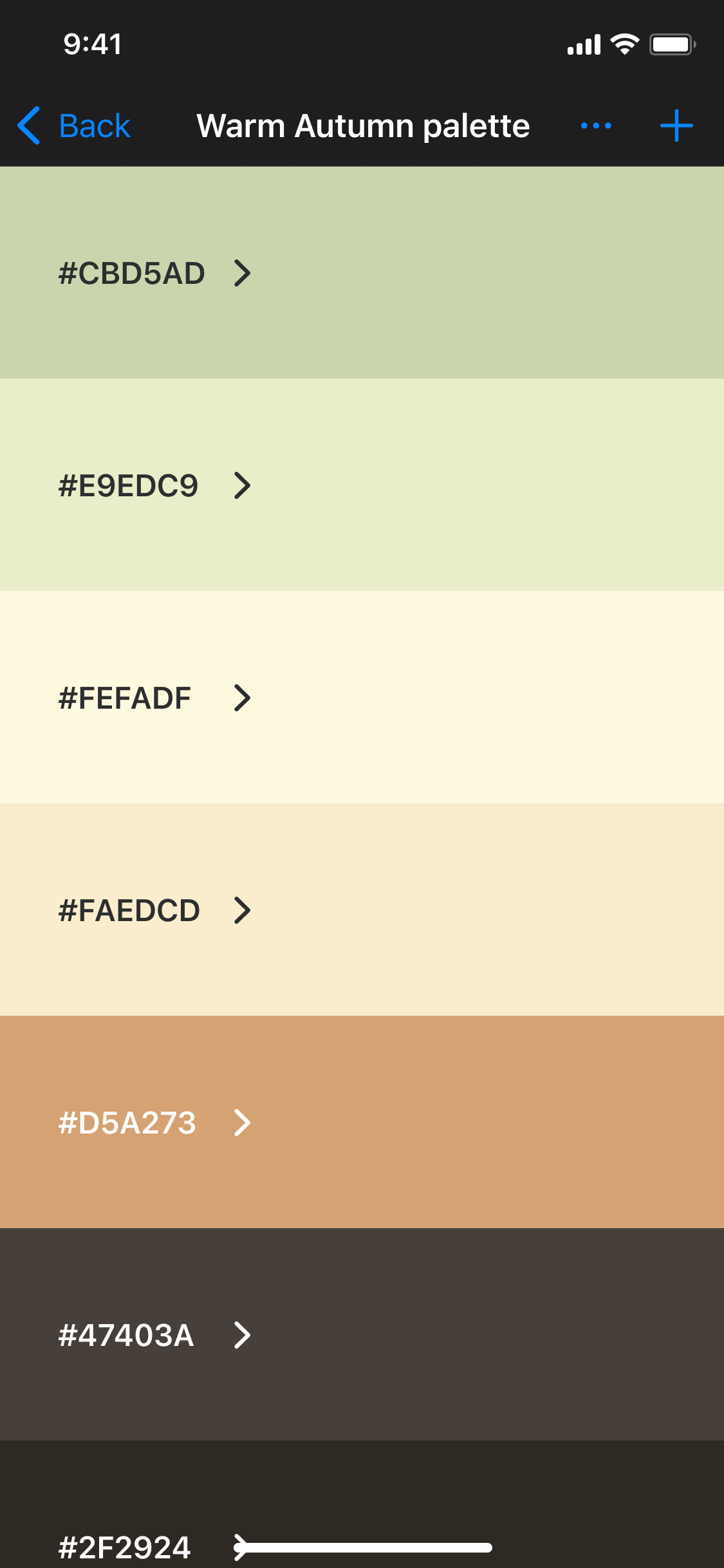
Saved color palette
PNG · 1125 × 2436Download PNG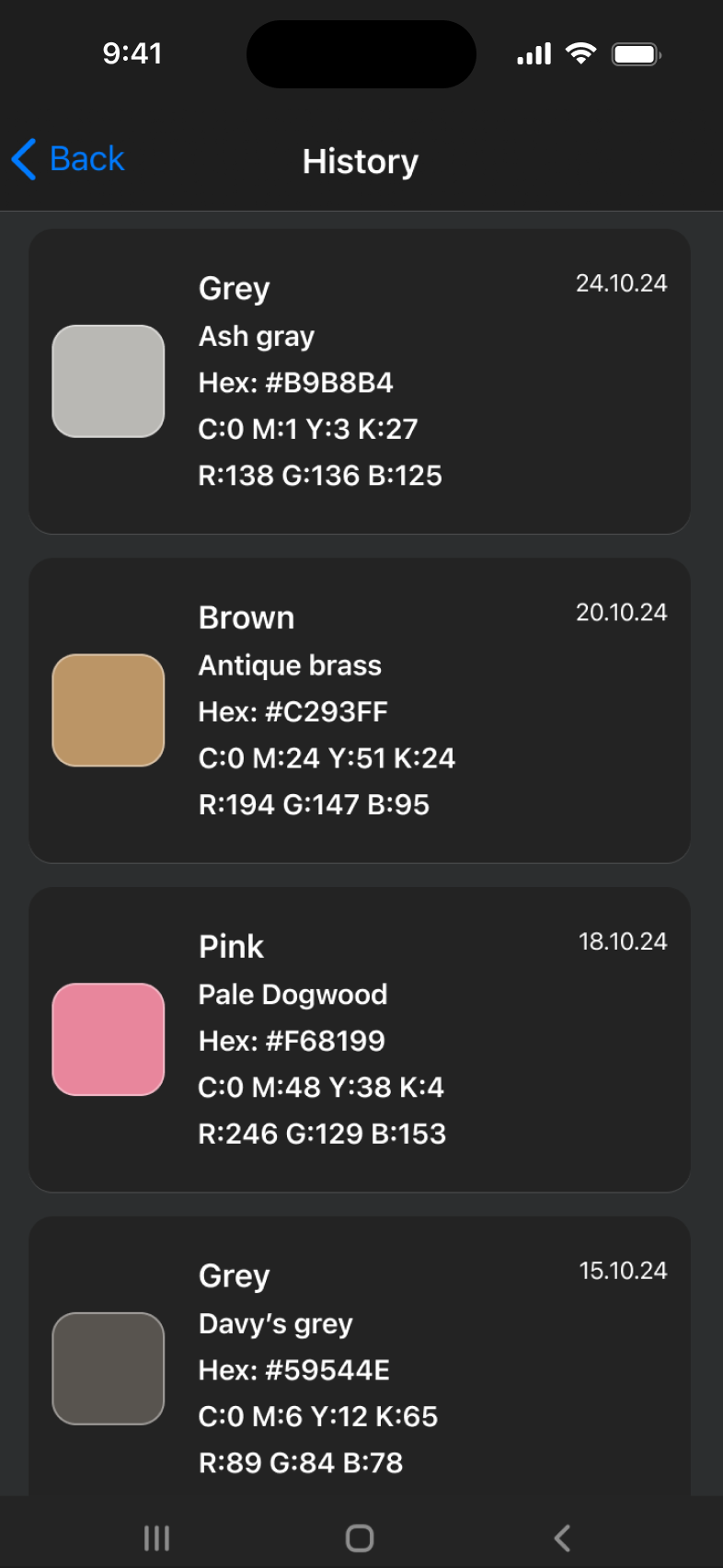
Color history
PNG · 786 × 1704Download PNG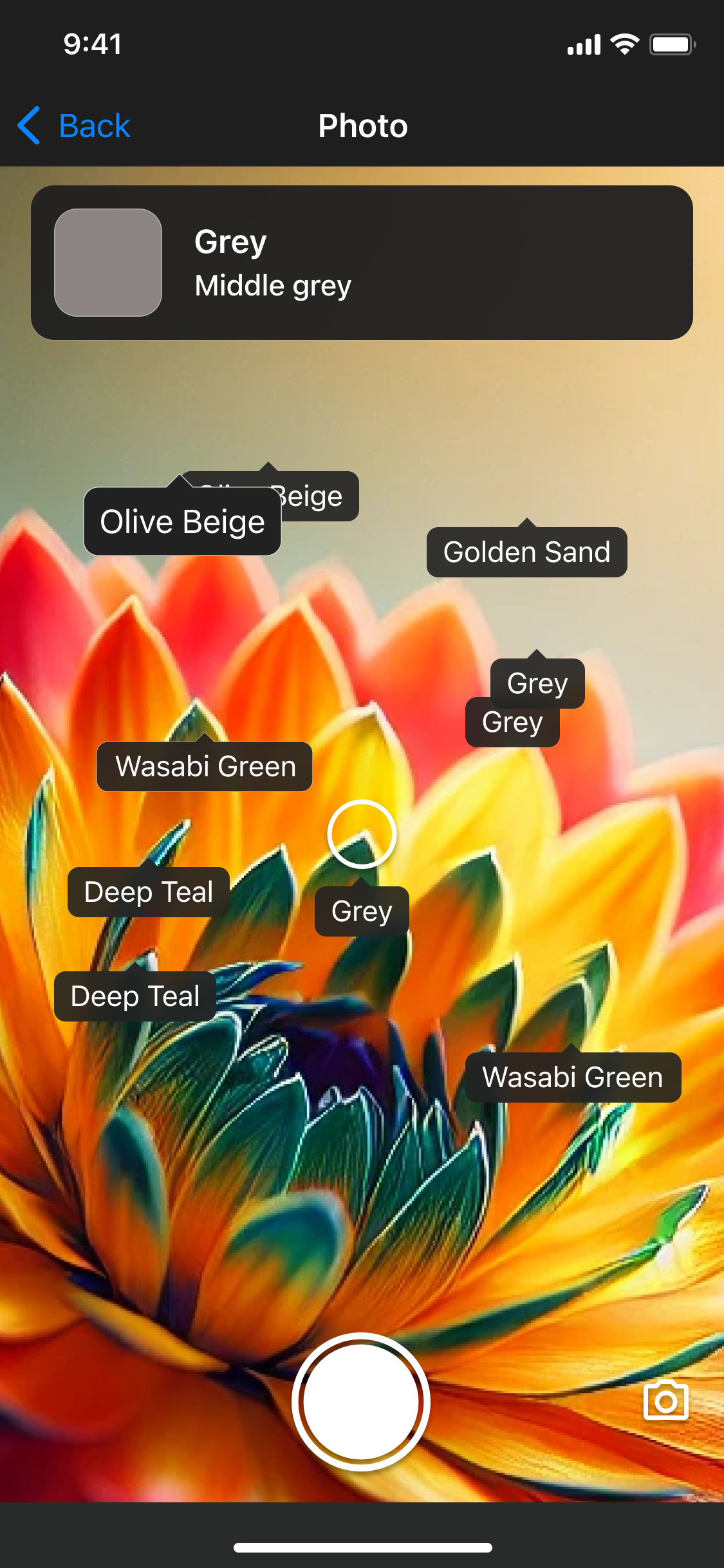
Colorblind Mode labels
PNG · 1125 × 2436Download PNG
App icon
PNG · square artwork, without a device frame

Website mark
Download SVG ↓
About the developer
Aleksei Metelkin is the developer behind Color Identifier, based in Wrocław, Poland. The app began as a way to help a friend with color blindness identify everyday colors, and grew to include tools for collecting, converting and comparing them.
Contact
For interviews, review enquiries and additional images, email Aleksei directly.